






2022 >> 2026

Hello

I’m Madhu, a Product Designer based in Chennai.

Over the past 6+ years as a Product Designer, I've worked on turning complex problems into clear and usable experiences. I enjoy building products that bring clarity to data and help teams make better decisions.

Portrait of Madhu
  • Interface Design
  • Design Systems
  • Interaction Design
  • UX Architecture
  • Cross-functional Collaboration

About me

Story

I’m a Product Designer who likes good design, interesting ideas, and figuring out how things work. I’m usually curious about something new—whether it’s a product, a place, or a random idea. I enjoy creating, experimenting, and making things feel just a little more thoughtful.

Timeline

  1. 2022 >> 2023

    Network Analyst

  2. 2023

    Design Trainee

  3. 2024

    UI UX Intern

  4. 2024 >> 2026

    Product Designer

Outside of work

Art

Books

2022 >> 2026

Live Call / Paperflite
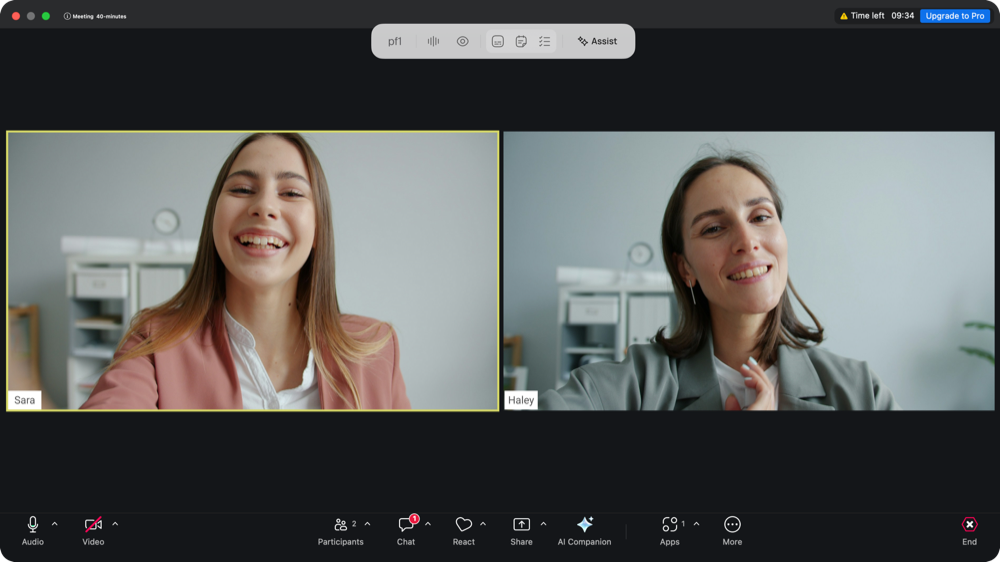
Live call interface with two participants

Overview

Designed an AI meeting assistant that provides relevant information and intelligent support during live conversations. The experience brings AI-generated insights directly into the meeting interface, helping users access information without interrupting their workflow.

USERS

Meeting Participants

Collaboration

PM + Engineering

Time taken

4 Weeks

Scope

Live Calls + AI Assistant

Features

  • AI Meeting Assistant — Instant assistance during live conversations.
  • Live Meeting Experience — A focused interface for video calls and meeting controls.
  • Contextual AI Insights — Relevant information presented alongside conversations.
  • Meeting Notes & Action Items — Structured summaries and follow-up tasks.

Key Design Decisions

Deal Room

01

Contextual AI Assistance

AI assistance and floating panels provide relevant information within the meeting interface, reducing context switching, keeping participants visible.

AI Integration

02

Clear Visual Hierarchy

Meeting controls and AI features are visually distinct, helping users navigate actions easily without distracting them from the conversation.

UI Design

03

Structured Experience

AI responses, insights, summaries, and action items are organised into scannable cards with consistent layouts and interaction patterns.

Content Structuring

Outcome

Meeting Notes & Action Items

Organises important discussion points and follow-up tasks into a structured format that users can review after the conversation.

Together, these features create a connected experience that supports users before, during, and after a meeting.
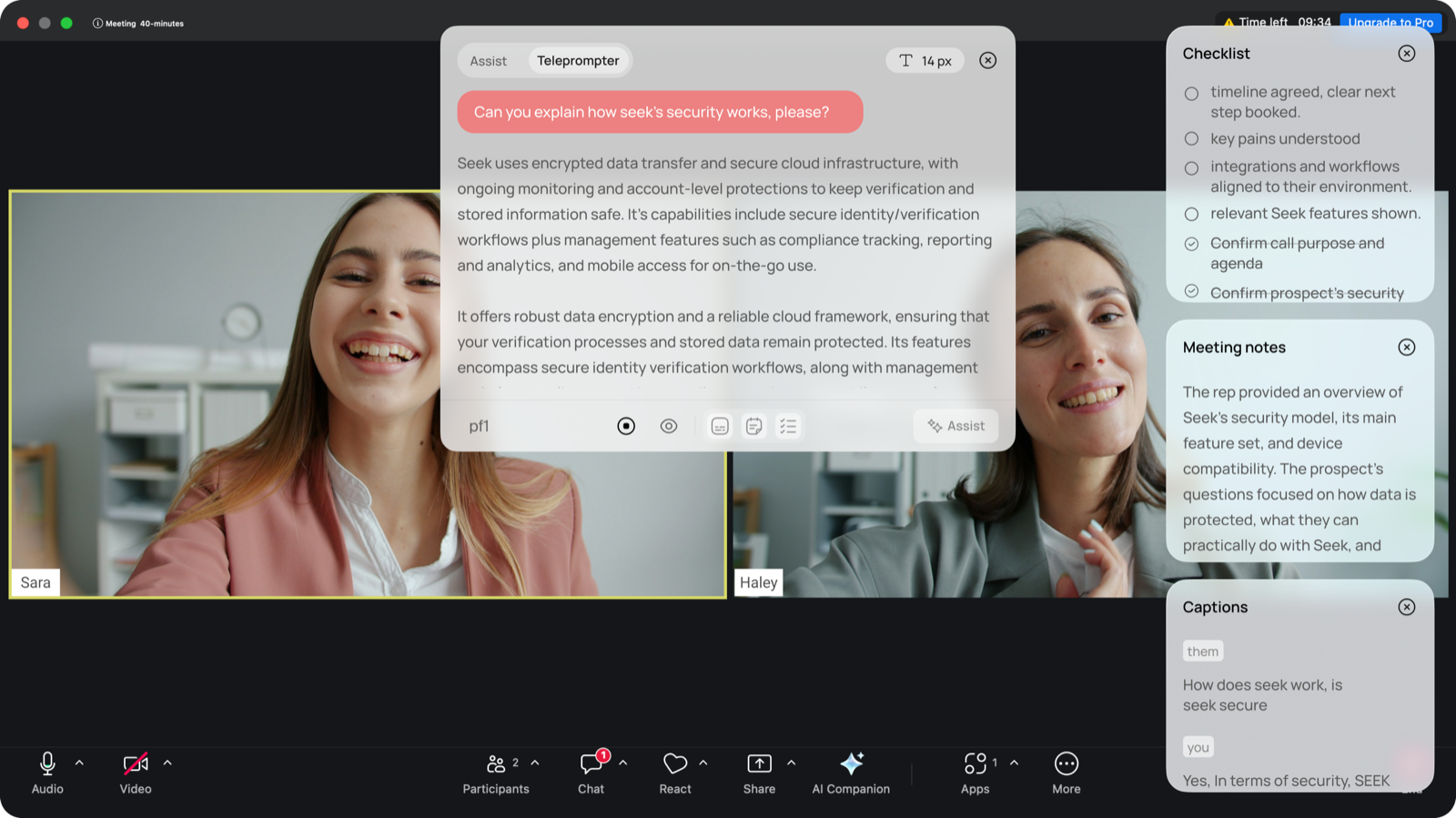
Meeting notes and action items panel during a call

Live Meeting Experience

Keeps participants, essential controls, and meeting actions within a clean, focused layout.
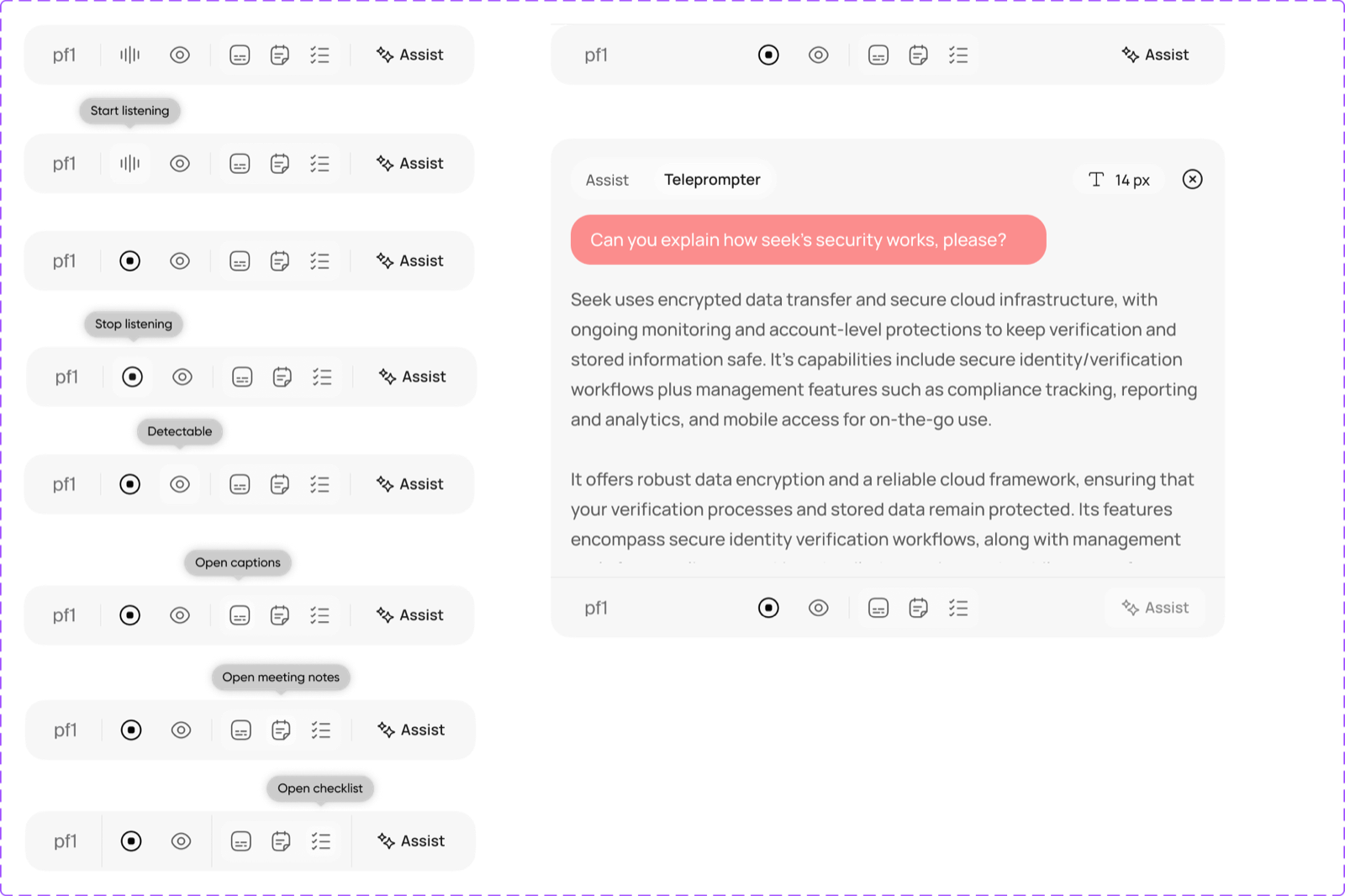
Meeting controls and the AI assistant panel

AI Meeting Assistant

Provides an accessible entry point for users to ask questions and receive assistance during a live meeting.
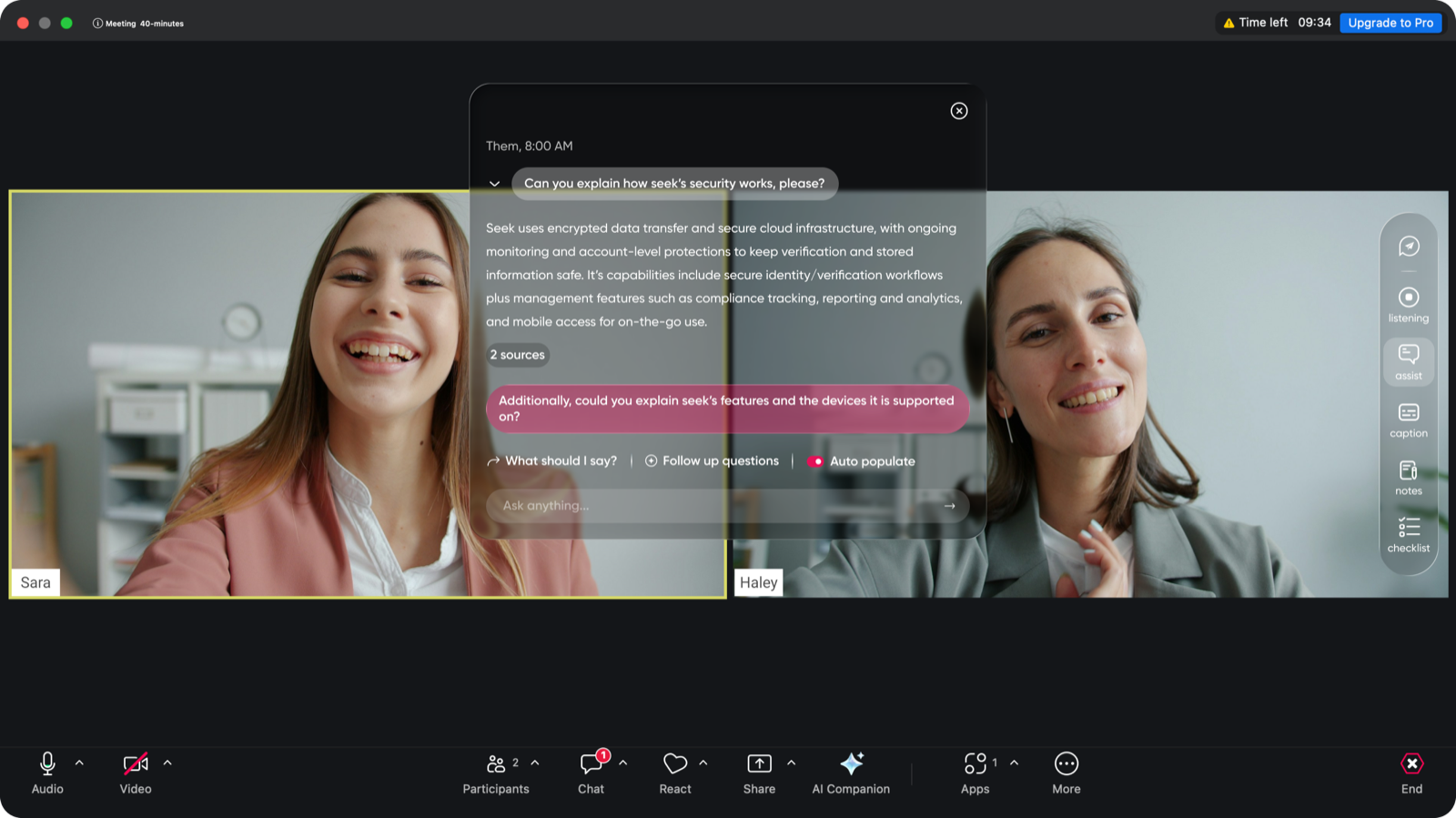
AI meeting assistant open during a live call

2022 >> 2026

Content & Deal Management / Paperflite

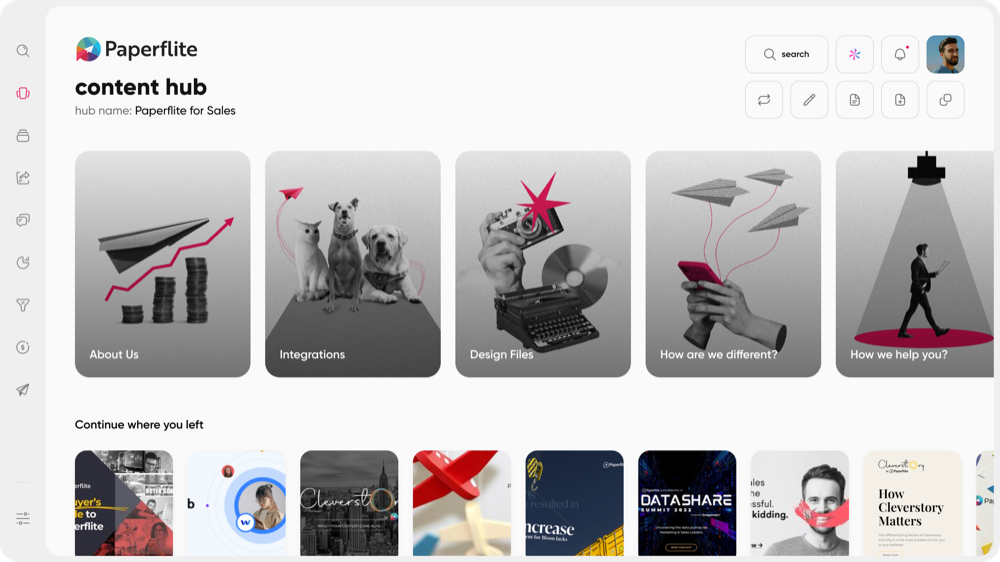
Paperflite content hub

Overview

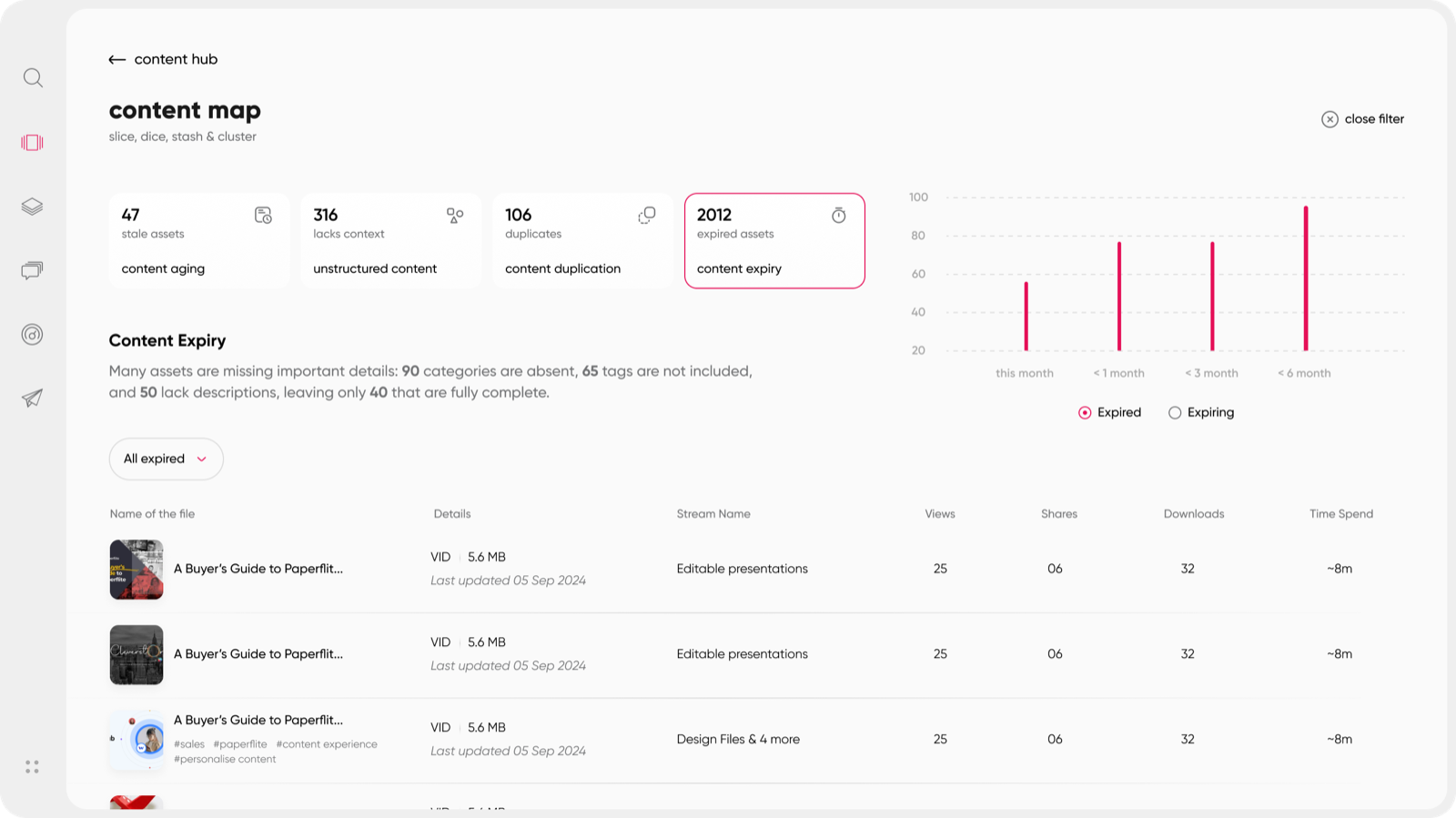
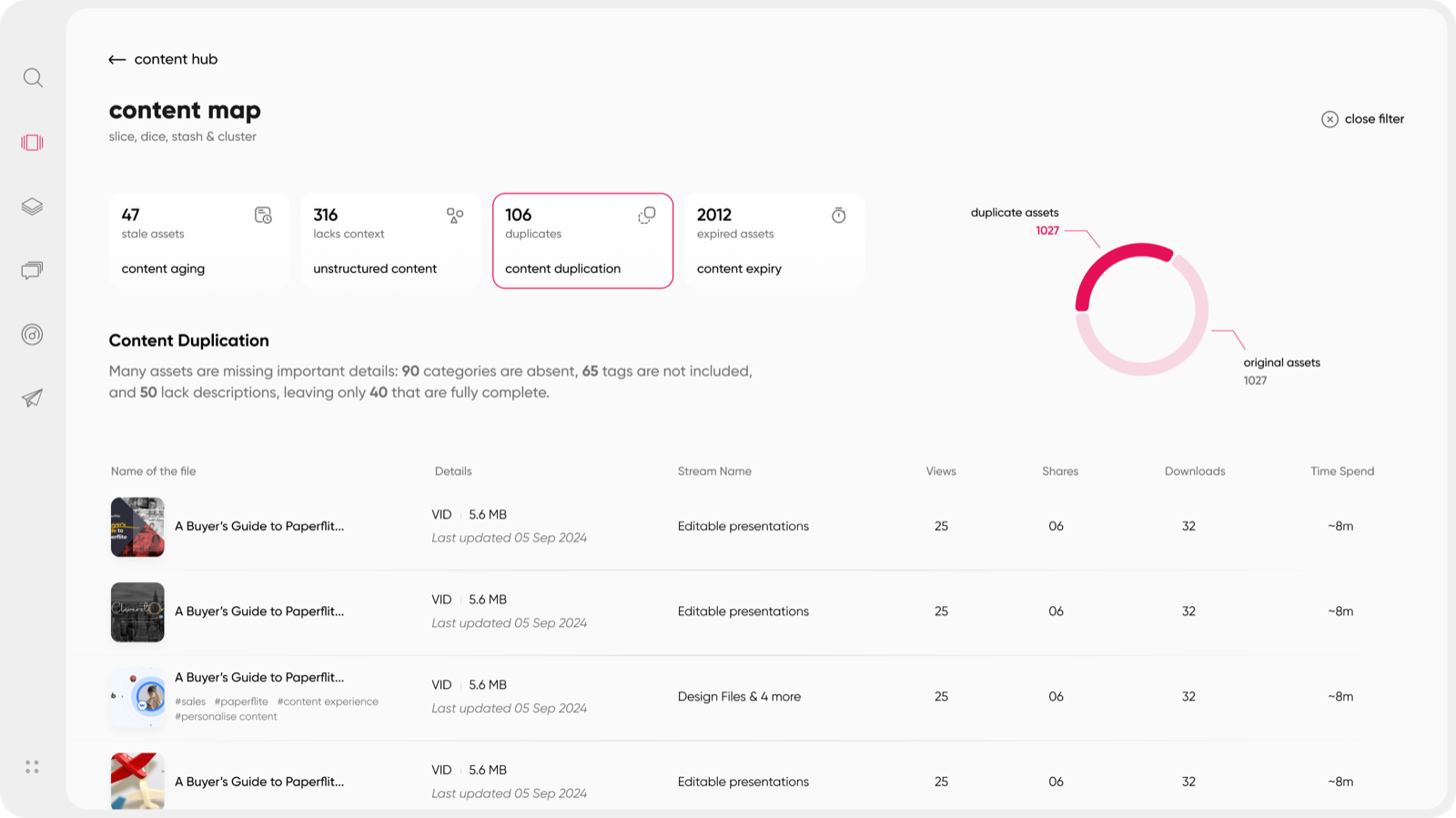
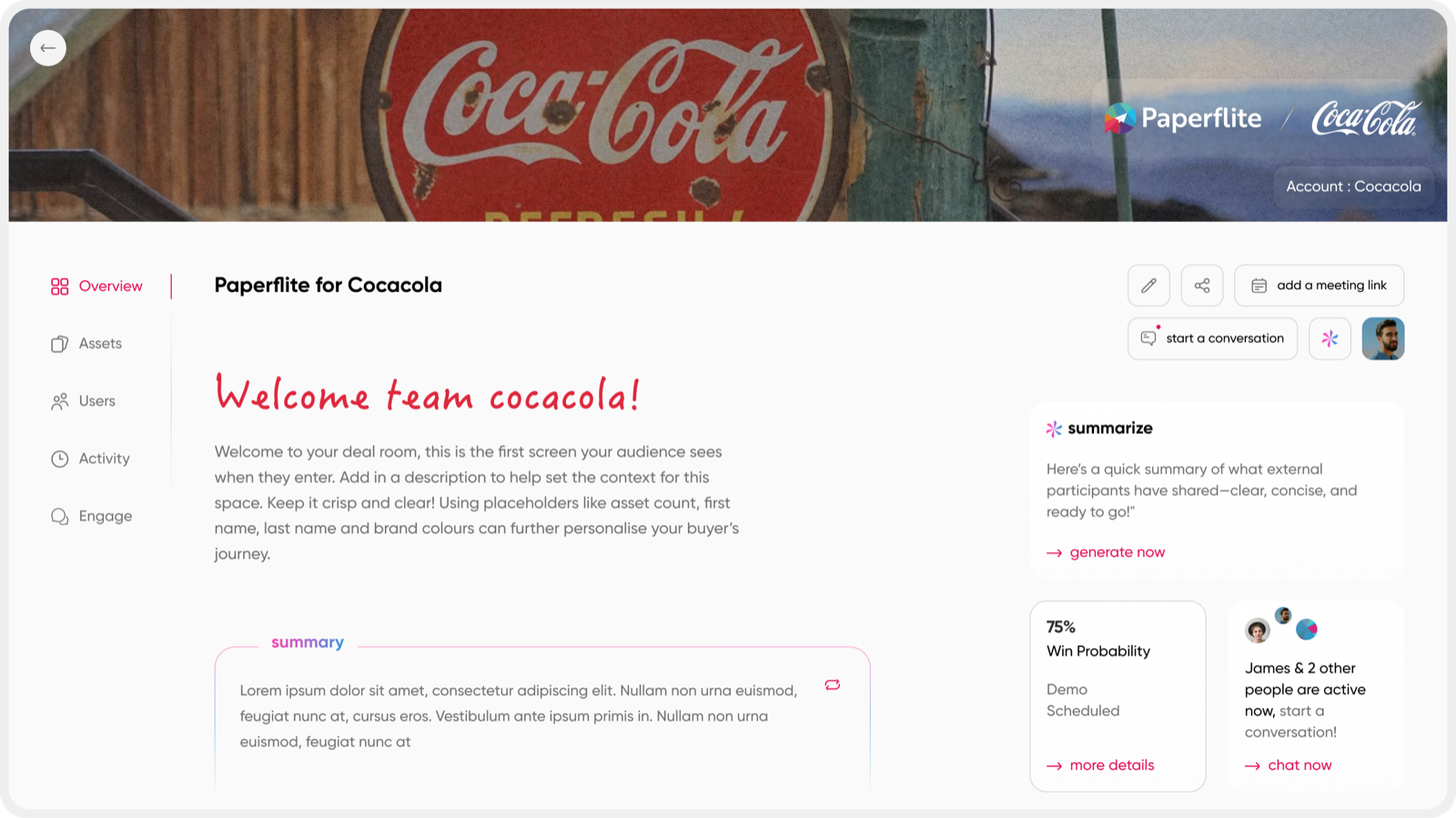
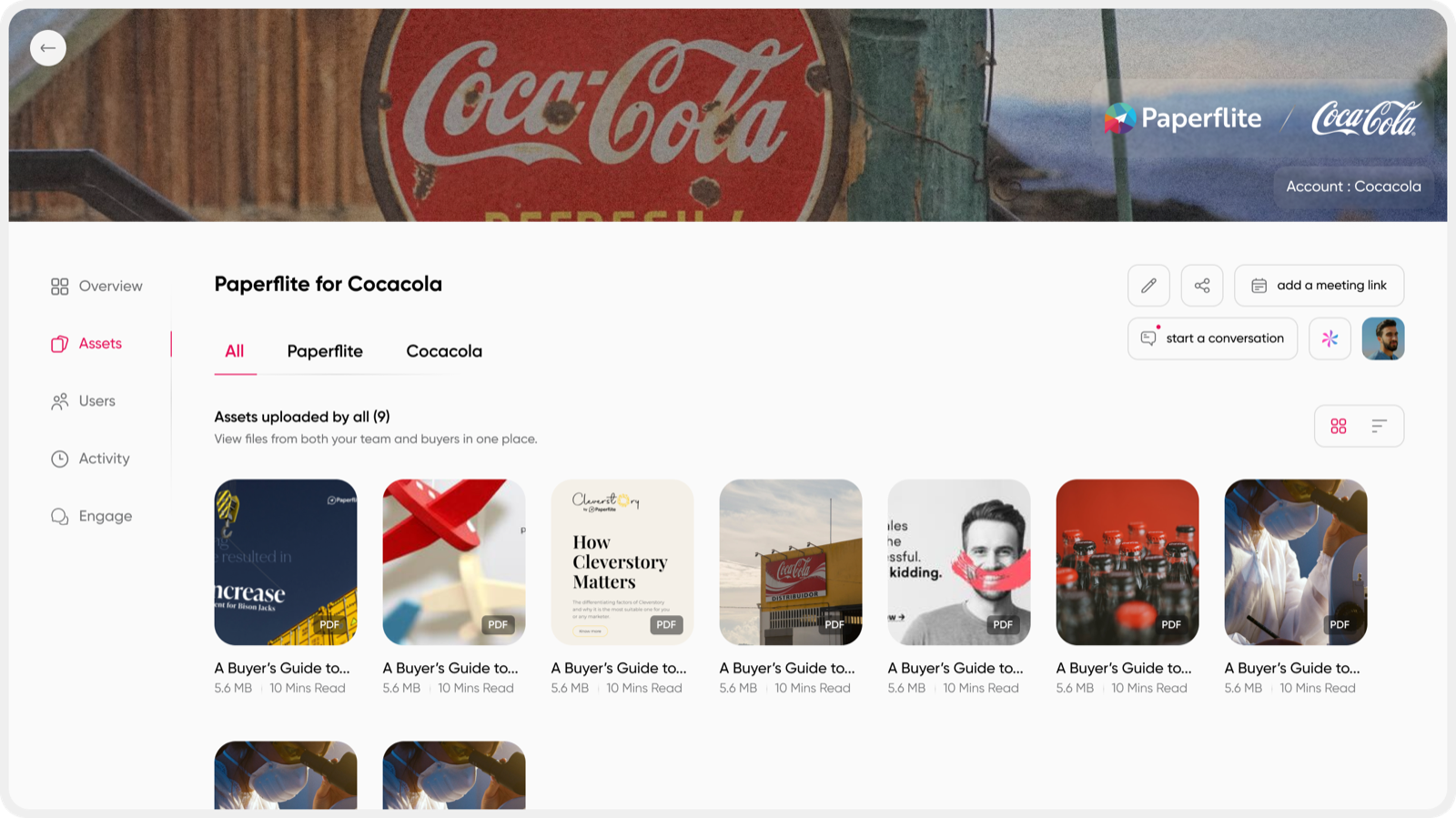
Content Map gives content administrators better control over the content library, while Deal Rooms bring sales teams and their stakeholders together in one shared workspace to manage content, activities, and deal progress.

USERS

Network Analyst

Collaboration

PM + Engineering

Time taken

4 Weeks

Scope

Content Map + Deal Rooms

My Role

Improved content governance by simplifying asset management, metadata updates, permissions, and content discoverability. Designed Deal Rooms to streamline content sharing, stakeholder collaboration, activity tracking, and deal progress management.

  •  Product strategy and UX exploration
  •  Information architecture and user flows
  •  Interaction and UI design
  •  Prototyping and iteration
  •  Collaboration with Product and Engineering

Content Governance

The design process involved understanding content administrators’ workflows, identifying pain points in asset management, and mapping the key tasks they needed to perform. These insights were translated into structured user flows, intuitive filtering options, bulk-editing actions, and clear permission controls.The key challenge was organising complex content management tasks into a clear, scalable interface while balancing administrative needs, reducing repetitive actions, and ensuring content remained easy to manage and discover.

Content map dashboard with content expiry chart
Content duplication summary

Deal Room

Over the past 6+ years as a Product Designer, I've worked on turning complex problems into clear and usable experiences. I enjoy building products that bring clarity to data and help teams make better decisions.

Deal room

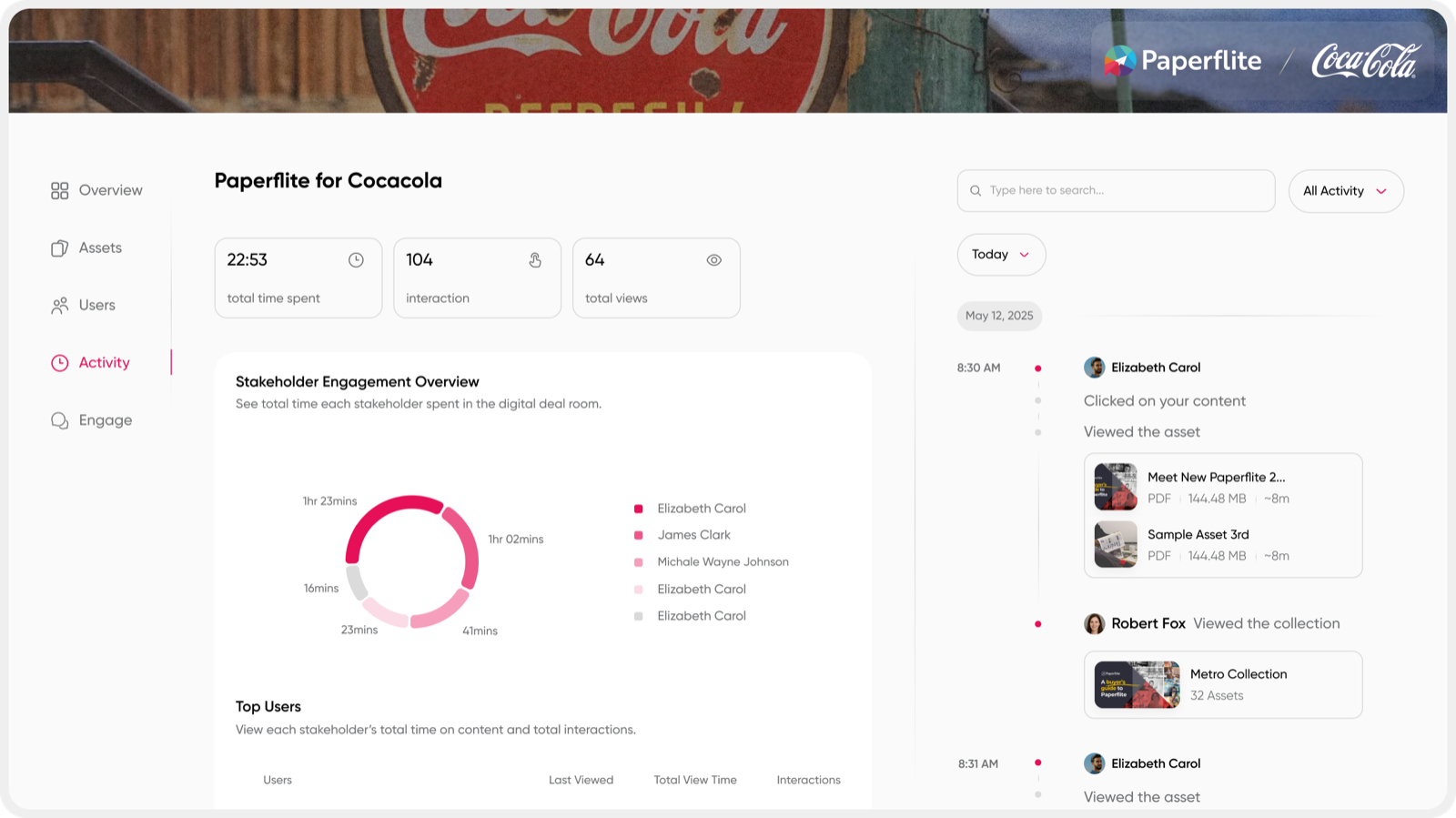
The design process involved understanding how sales teams and stakeholders collaborate throughout a deal, identifying challenges in content sharing, task coordination, and progress tracking. These insights were translated into structured Deal Room layouts, intuitive content-sharing workflows, activity tracking, and Mutual Action Plans. Through iterative wireframing and UI refinement, this was designed to simplify collaboration, improve visibility into deal progress, and keep information accessible in one shared workspace.

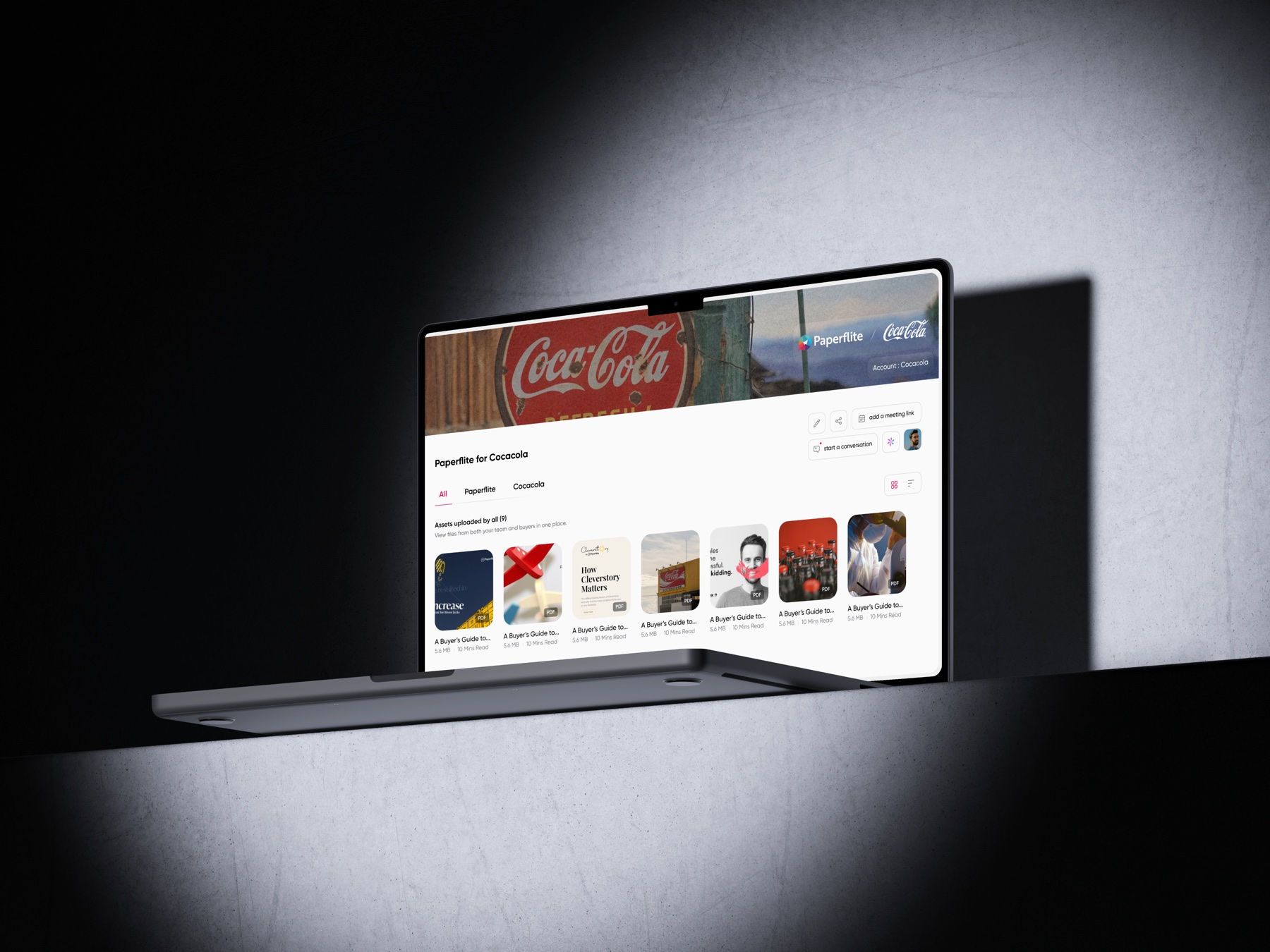
Deal room welcome page for a customer
Deal room shared assets
Deal room engagement overview

2022 >> 2026

Agentic UI / Paperflite

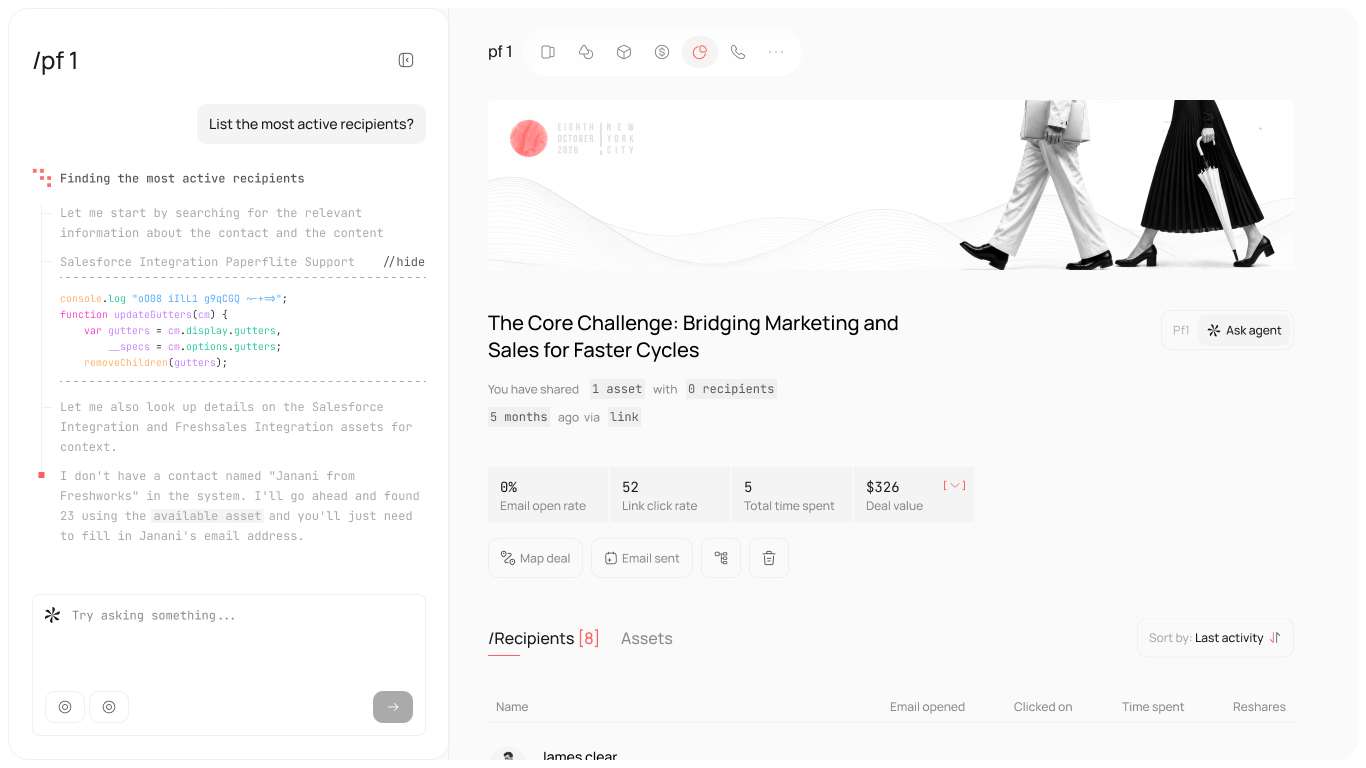
Agentic UI conversation screen

Overview

The Agentic UI brings AI-powered assistance enabling users to access deal insights, execute tasks, and generate content through natural conversations. It transforms AI from a tool that simply answers questions into an assistant that takes action & workflows.

USERS

Sales & Marketing Teams

Collaboration

PM + Engineering

Time taken

6 Weeks

Scope

Agentic UI + Workflows

My Role

Worked on designing Paperflite’s Agentic UI, connecting deal insights, multi-step task execution, and AI-powered email composition within a conversational interface. Focused on how users initiate actions, review AI-generated plans, approve changes, and edit generated content without navigating between modules.

  • AI Opportunities - Identified tasks AI could simplify.
  • Prompt-to-Action - Connected prompts to executable plans.
  • Agentic UI - Designed deal insights, AI plans, and email drafts.

Design Decisions

01

Conversational Entry Point

A persistent AI input allows users to ask questions, explore deal information, and initiate actions without navigating through multiple screens.

02

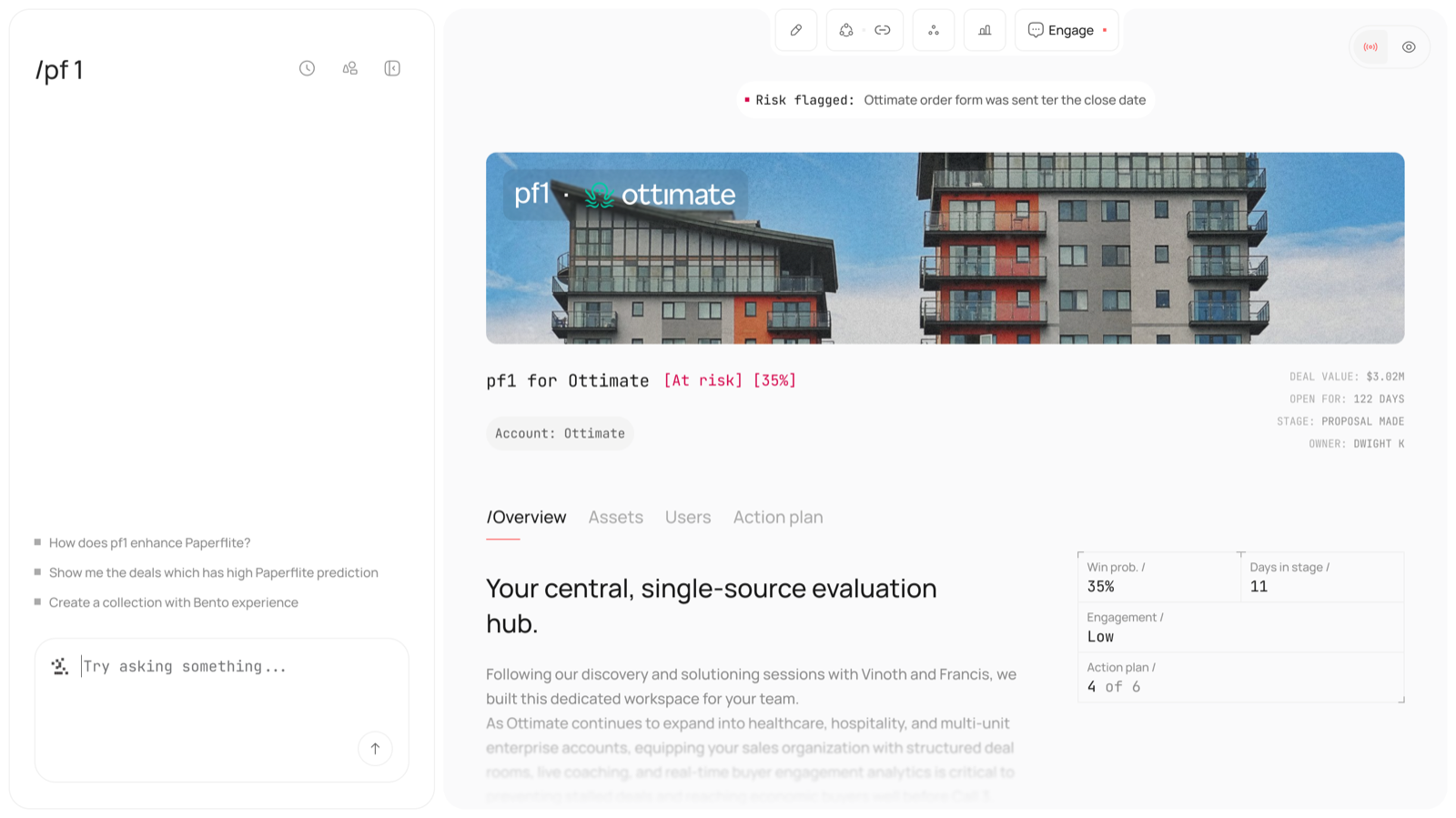
Contextual Deal Insights

Deal-specific information, including health indicators, engagement, win probability, and action plan progress, is presented alongside the relevant account context to support faster decision-making.

03

Structured Experience

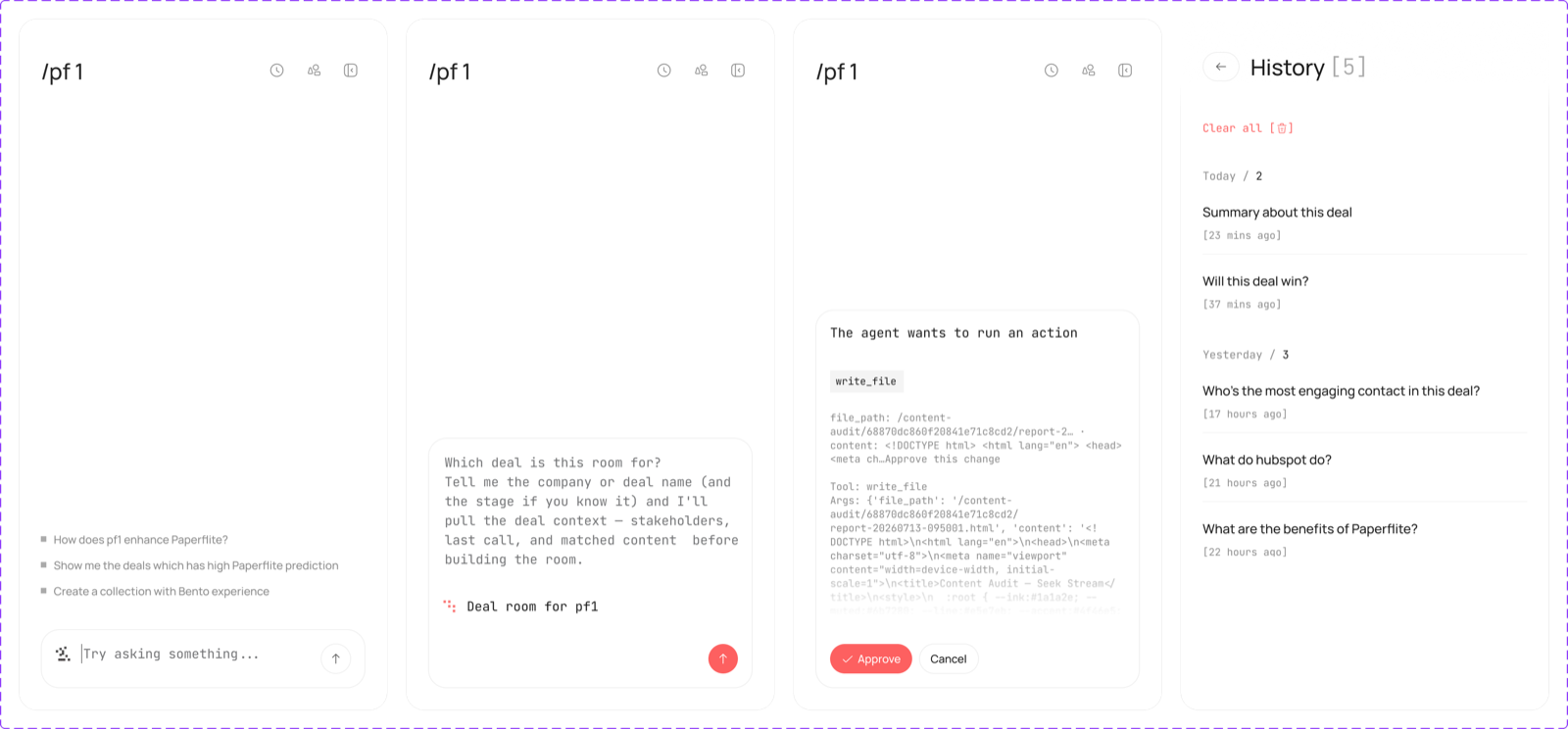
When a request requires an action, the AI presents the proposed operation for review and approval before proceeding. This helps users understand what the AI intends to do and maintain control over changes.

Outcome

Deal Insights & Context

Brings deal information and risk indicators into a central view, helping users understand deal status and identify areas that may need attention.

Deal insights view next to the AI conversation

Action Planning & Execution

Users can describe a task in natural language. The AI interprets the request, proposes an action, and presents the relevant details for approval before execution.

Steps of an AI action plan awaiting approval

AI-Powered Compose

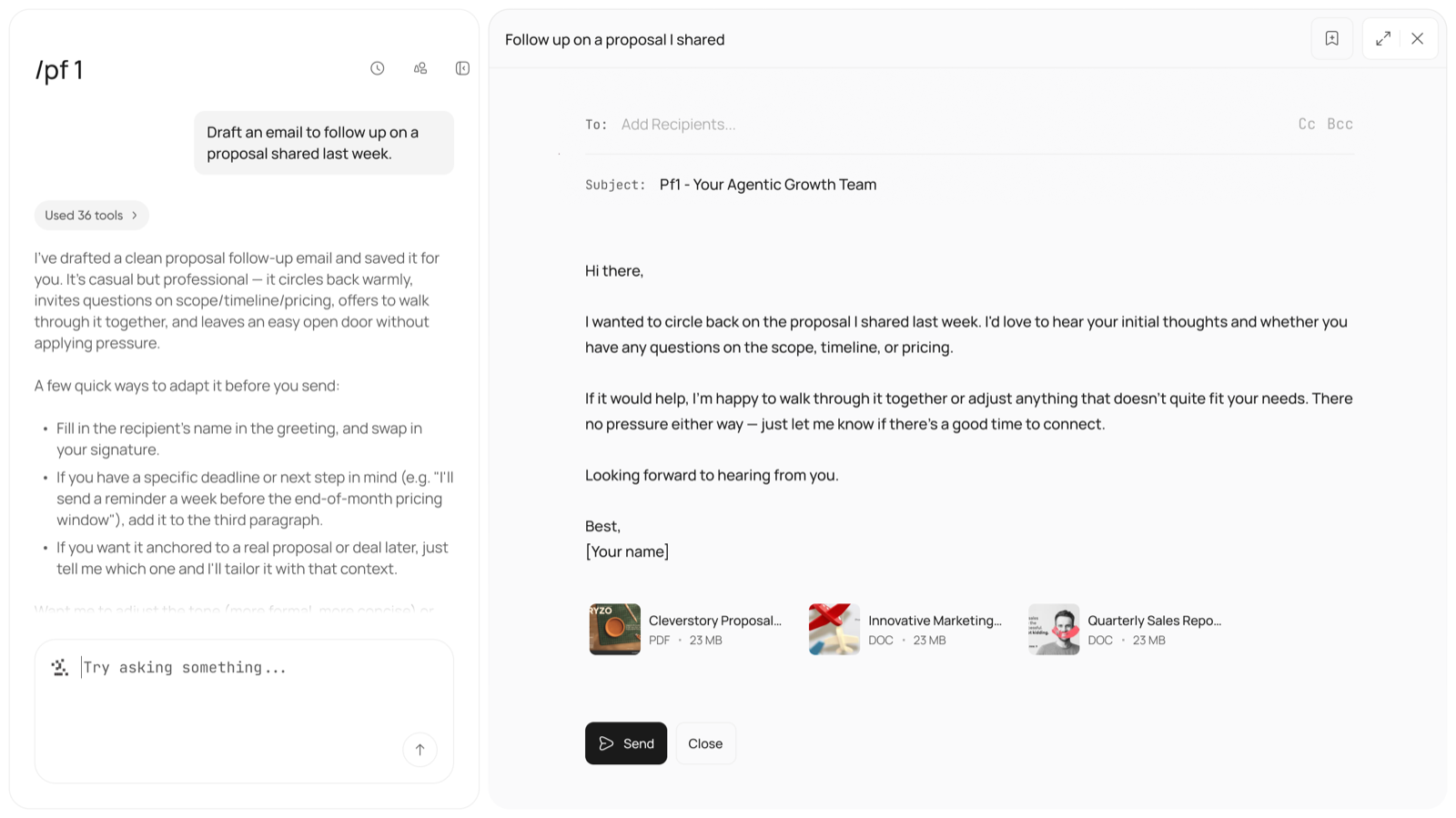
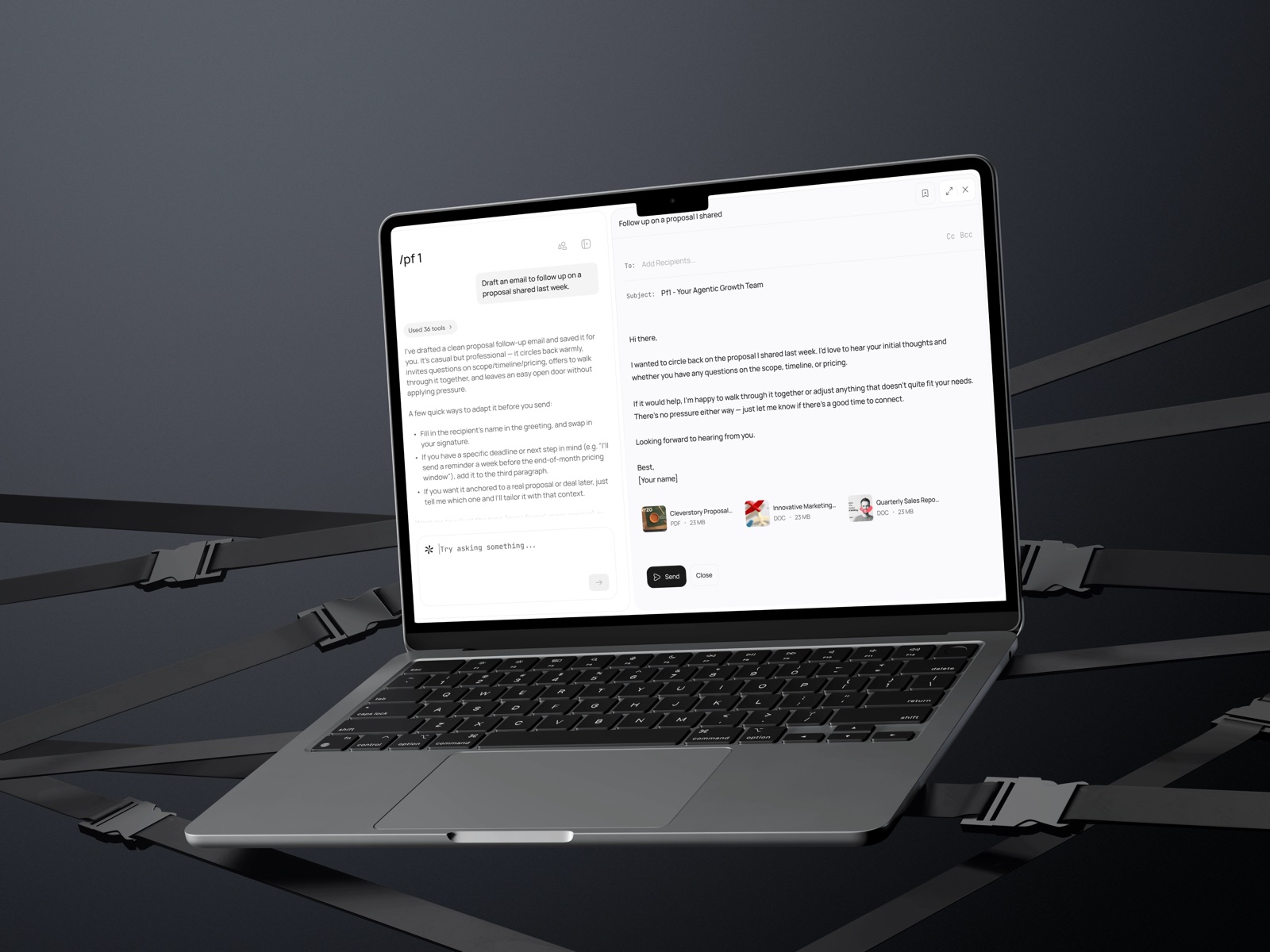
Users can request an email draft based on existing content or a specific goal. The generated draft appears in an editable compose interface, where recipients, subject, message, and attachments can be reviewed before sending.

AI-generated email draft in the compose view